# Embed

Vectary provides an option to embed a link or embed code directly into a 3D project.

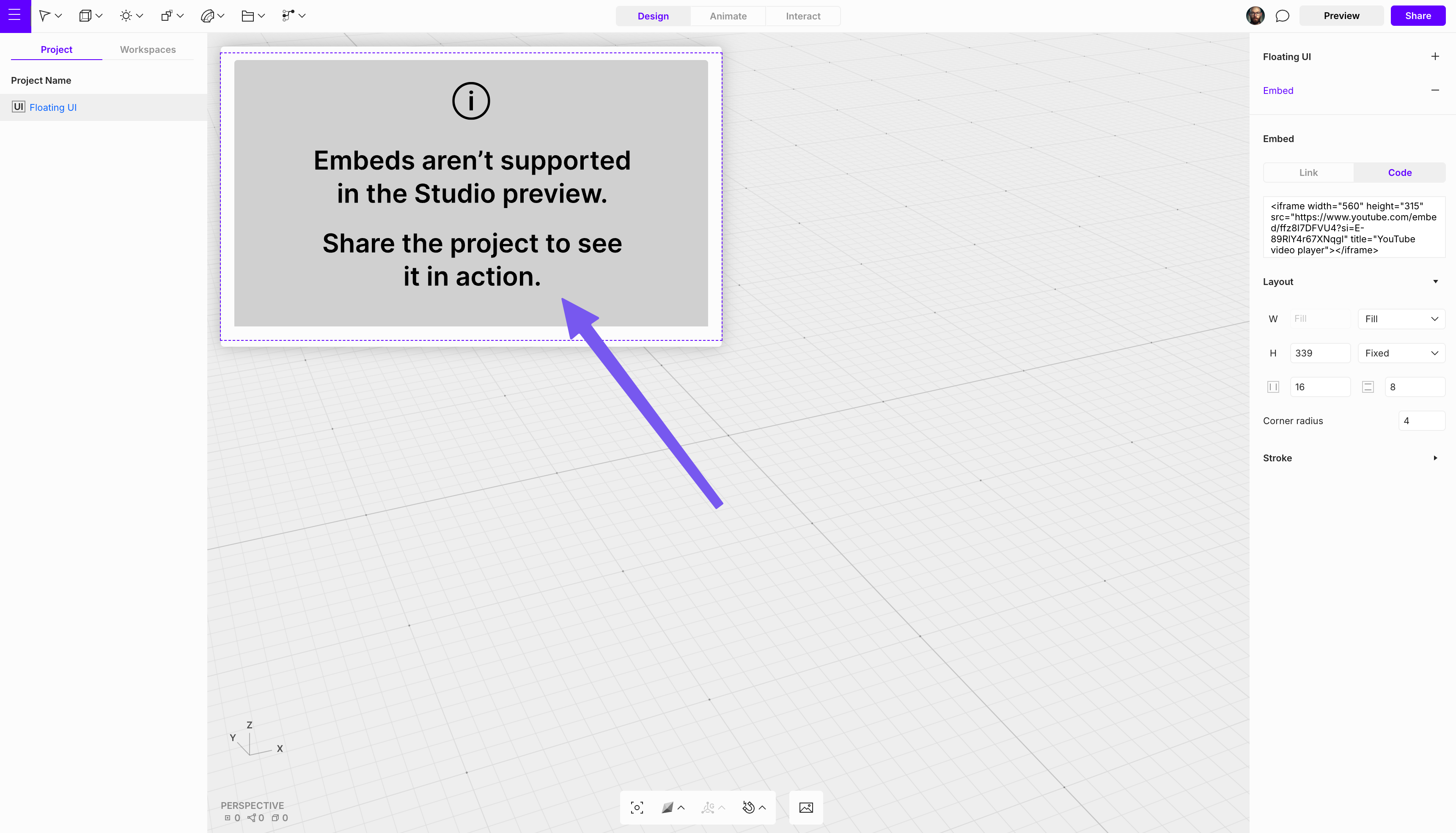
To add an embed, add a [Floating UI](https://open-2v.gitbook.com/url/help.vectary.com/documentation/3d-configurator/floating-ui) and then select the **Embed** option from the dropdown and choose whether to embed a **link** or a **code block** in the settings.

<div align="left"><figure><img src="https://2973737105-files.gitbook.io/~/files/v0/b/gitbook-x-prod.appspot.com/o/spaces%2FAXNLyKVZ2tvtyDr8sVES%2Fuploads%2FsAXYS194ZpFz8Oxyq2e1%2Fimage.png?alt=media&#x26;token=0f754014-d3bf-418b-b487-86a35faf00da" alt="" width="248"><figcaption></figcaption></figure></div>

<i class="fa-message-exclamation">:message-exclamation:</i>  <mark style="color:$warning;">Embedding is not visible in Studio. To preview the result,</mark> [<mark style="color:$warning;">share</mark>](https://open-2v.gitbook.com/url/help.vectary.com/documentation/sharing-exporting-embedding/sharing) <mark style="color:$warning;">the project and open it in a new browser tab.</mark>

<figure><img src="https://2973737105-files.gitbook.io/~/files/v0/b/gitbook-x-prod.appspot.com/o/spaces%2FAXNLyKVZ2tvtyDr8sVES%2Fuploads%2FHQ5dHGMM4KGYPOMFrnmE%2Fimage.png?alt=media&#x26;token=31ac757d-8cee-4e48-b644-2d71717e5e4a" alt=""><figcaption></figcaption></figure>

{% hint style="danger" %}

#### Limitations

\
For security reasons, only the following tags are supported: `iframe`, `div`, `embed`

\
All other tags are automatically purified during insertion, and a warning message is displayed:\
\ <img src="https://2973737105-files.gitbook.io/~/files/v0/b/gitbook-x-prod.appspot.com/o/spaces%2FAXNLyKVZ2tvtyDr8sVES%2Fuploads%2FpSJ2iNzOCXR0OTEHohSu%2Fimage.png?alt=media&#x26;token=3b105603-7433-40d4-acd3-ba2b7934cbf9" alt="" data-size="original">&#x20;
{% endhint %}