# Data import (.csv)

## Overview

Data can be imported from Google Sheets or CSV files. This functionality allows you to operate with existing datasets, making them available for use in variables and expressions after import.

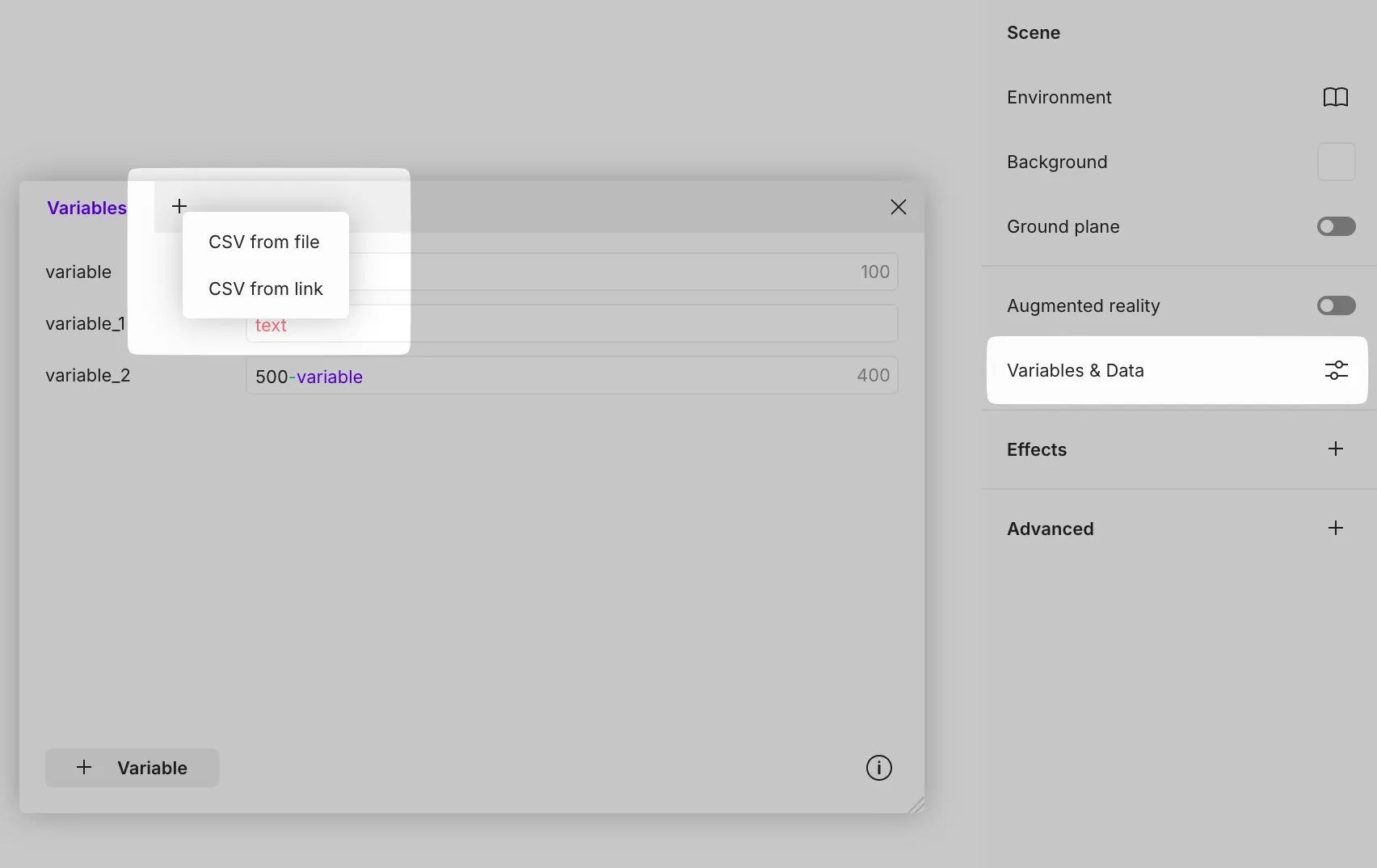
To import data, add a new tab in **Variables & Data**

<figure><img src="https://2973737105-files.gitbook.io/~/files/v0/b/gitbook-x-prod.appspot.com/o/spaces%2FAXNLyKVZ2tvtyDr8sVES%2Fuploads%2FBaxfZNVVt1tPaWAdtzXM%2Fimage.png?alt=media&#x26;token=25120309-f680-4d6c-8766-12bd84d7191e" alt=""><figcaption></figcaption></figure>

## CSV from link (Google Sheet)

Data from a Google Sheet can be imported into Vectary, and any changes made to the Google Sheet will be automatically updated in real-time in Vectary. To begin this process, simply copy the link:

**File** ➞ **Share** ➞ **Publish to web** ➞ **Comma-separated values (.csv)** ➞ *copy link*

{% embed url="<https://screen.studio/share/mYKHxzwZ>" %}

Then paste this link into Vectary:

**Variables & Data** ➞ *create a new tab* ➞ **СSV from link** ➞ sync button 🔄

{% embed url="<https://screen.studio/share/eeeOBKQH>" %}

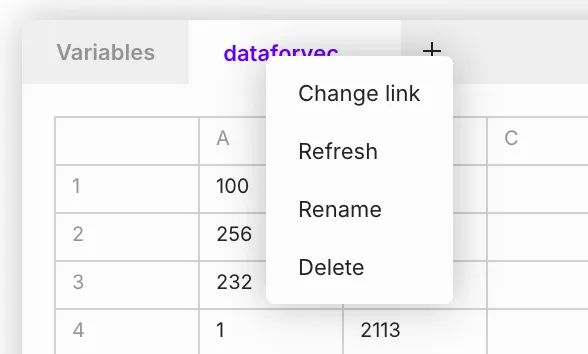
Right-clicking on the tab opens a context menu with actions:<br>

* Change link
* Refresh (sync data)
* Rename tab
* Delete tab

<div align="left"><figure><img src="https://2973737105-files.gitbook.io/~/files/v0/b/gitbook-x-prod.appspot.com/o/spaces%2FAXNLyKVZ2tvtyDr8sVES%2Fuploads%2FVRO1C8skROjJDJM47Fd5%2Fimage.png?alt=media&#x26;token=764c6747-3013-43d9-bcce-2e2cf5e553e8" alt="" width="441"><figcaption></figcaption></figure></div>

## CSV from file

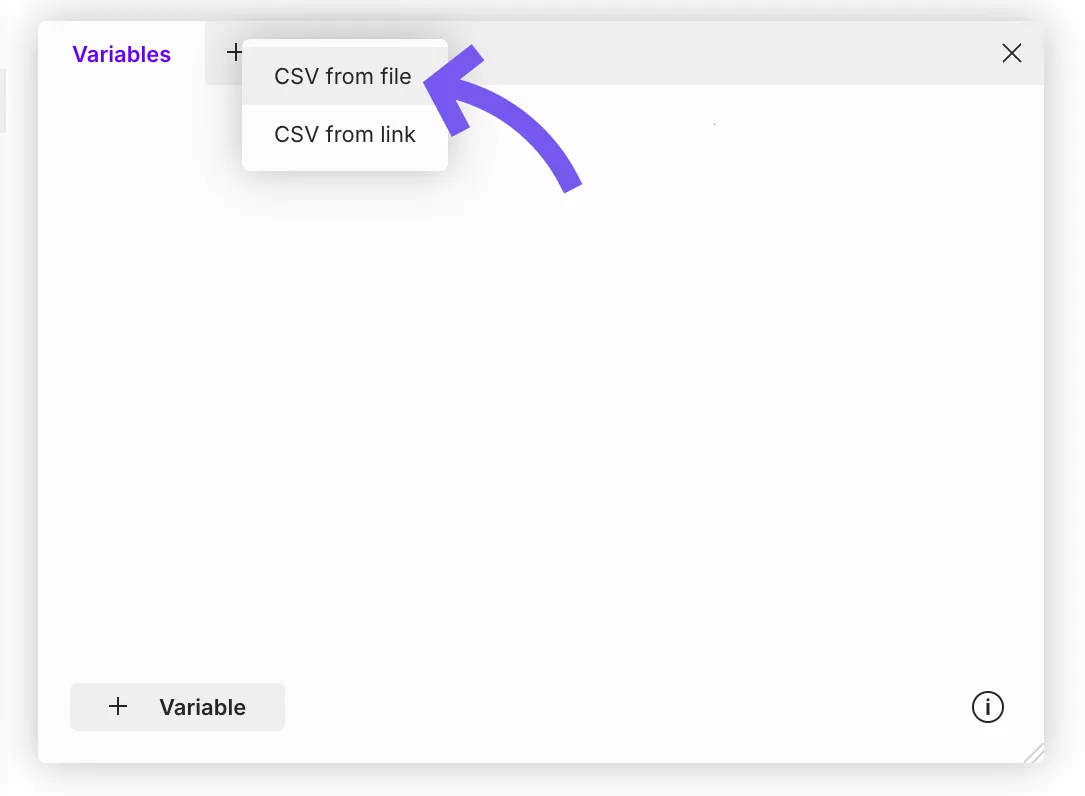
To import a file, create a new tab and select **CSV from file**:

<figure><img src="https://2973737105-files.gitbook.io/~/files/v0/b/gitbook-x-prod.appspot.com/o/spaces%2FAXNLyKVZ2tvtyDr8sVES%2Fuploads%2F9OtfAqd5N0mcfPcrjuNE%2Fimage.png?alt=media&#x26;token=9cd9297d-ab67-4e75-8245-06b6a453047a" alt="" width="563"><figcaption></figcaption></figure>

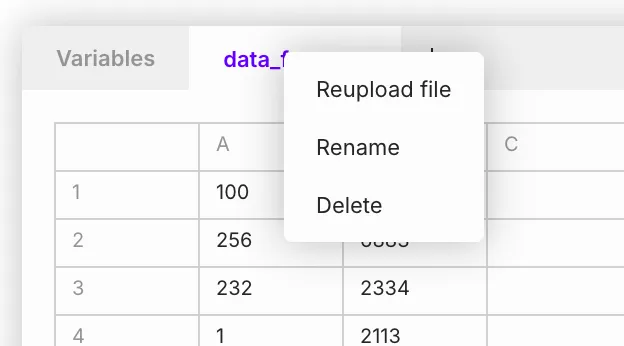
Right-clicking on the tab opens a context menu with actions:

* Reupload file
* Rename tab
* Delete tab
<div align="left"><figure><img src="https://2973737105-files.gitbook.io/~/files/v0/b/gitbook-x-prod.appspot.com/o/spaces%2FAXNLyKVZ2tvtyDr8sVES%2Fuploads%2Fc8ScPWANv4Jo1MeA52G2%2Fimage.png?alt=media&#x26;token=56f916b5-9b1d-4da9-aea4-f3bb84c91db1" alt="" width="468"><figcaption></figcaption></figure></div>